Portant is a HubSpot-focused document automation platform for creating proposals, quotes, contracts, and other business documents. This breakdown examines how its website communicates value, builds trust, and guides visitors from first impression to product adoption.
Unlike a homepage review, this analysis evaluates how the entire website works together from navigation and messaging to supporting pages and conversion paths to influence buying decisions.
Who Will Benefit From This Breakdown
This breakdown is designed for SaaS teams looking to improve how their website communicates value and guides buyers through the customer journey.
You’ll find this analysis particularly useful if you’re:
- Building a B2B SaaS website.
- Improving homepage messaging.
- Redesigning pricing or product pages.
- Creating customer stories or case studies.
- Growing through SEO and educational content.
- Optimizing free trial or demo conversions.
- Looking for practical conversion strategies beyond surface-level CRO advice.
Even if your product isn’t in document automation, many of the principles discussed throughout this breakdown apply to SaaS businesses across different industries.
Executive Summary
| Company | Portant |
| Industry | SaaS – Documentation Automation |
| Primary Audience | HubSpot Sales Teams |
| Analysis Type | Website Conversion Breakdown |
| Reviewed Pages | Homepage, Product, Pricing, Blog, Documentation, Demo, Signup, Dashboard |
| Overall Score | 9.4/10 |
What is Portant?
Portant is a document automation platform built primarily for HubSpot users. It enables sales teams to automatically generate proposals, quotes, contracts, NDAs, invoices, and other business documents using live CRM data, reducing manual work and streamlining the document workflow.
Unlike traditional document generation tools, Portant positions itself as an automation platform that works directly inside the HubSpot ecosystem, allowing businesses to create, approve, send, and track documents without switching between multiple tools.
Who is it for?
Portant primarily targets:
- Sales teams
- Revenue Operations (RevOps)
- Customer Success teams
- Operations managers
- Businesses already using HubSpot
Their messaging consistently focuses on organizations that create sales documents frequently and want to eliminate repetitive manual work.
Overall Impression
Portant delivers a cohesive, well-structured conversion experience from the first website visit through product onboarding. Every touchpoint from the homepage and educational content to documentation and the product interface reinforces the same promise: simplify document automation inside HubSpot.
Rather than relying on flashy design, the company emphasizes clarity, consistency, and low-friction decision making.
Overall Rating: 9.4/10
Biggest Strengths
- Clear positioning around a specific customer and use case.
- Consistent messaging across the entire website.
- Strong educational content supporting organic acquisition.
- Excellent product onboarding through templates.
- Clean, distraction-free interface.
- Consistent primary CTA throughout the customer journey.
Biggest Opportunity
The product dashboard could guide first-time users more proactively with an onboarding checklist or progress tracker that helps them reach their first successful outcome faster.
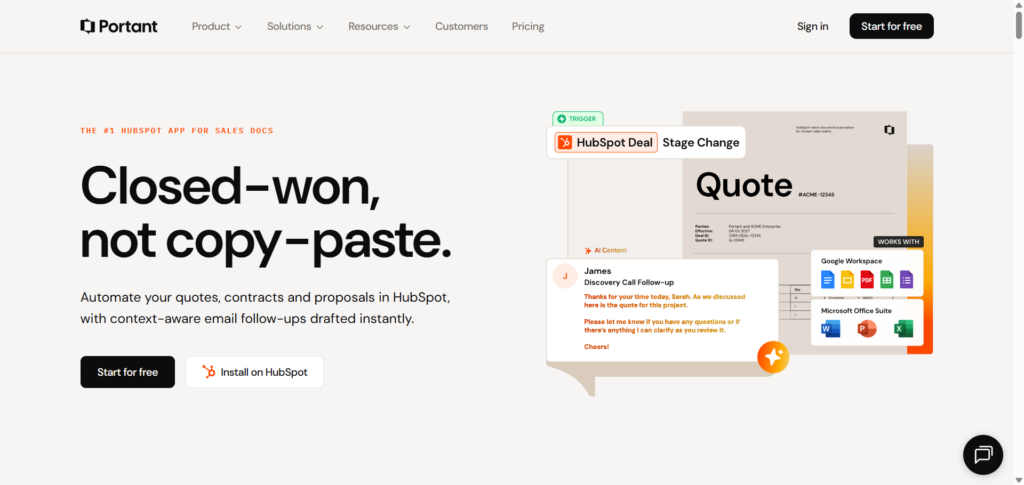
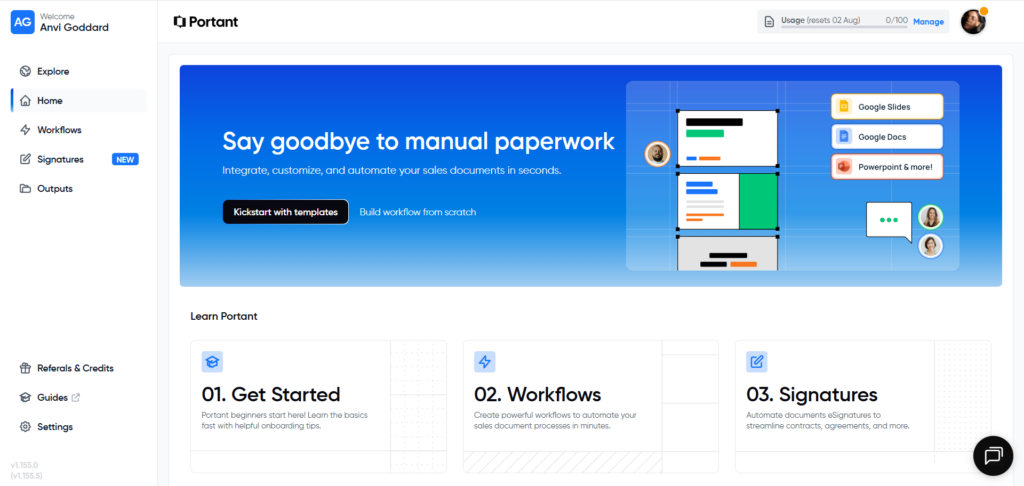
From marketing website to product dashboard, Portant maintains consistent messaging and design language.
Can a new visitor understand what Portant does within five seconds?
Yes.
One of Portant’s biggest strengths is immediate clarity.
Within seconds of landing on the website, visitors understand three important things:
- The product automates documents.
- It is built specifically for HubSpot.
- It saves manual work for sales teams.
There is very little ambiguity. Visitors are not forced to decode vague marketing language or abstract value propositions before understanding the product.
Emotional Response
The website creates a feeling of simplicity rather than complexity.
This is particularly important because document automation can easily feel technical or enterprise-heavy. Instead of overwhelming visitors with features, Portant presents the product as approachable and easy to adopt.
Trust Signals
Within the first interaction, visitors encounter multiple credibility builders:
- HubSpot-focused positioning
- Customer logos
- Product visuals
- Educational resources
- Free trial option
- Demo booking
- Consistent branding
These elements reduce uncertainty before asking visitors to commit.
Overall First Impression
Rather than trying to impress visitors with animations or marketing buzzwords, Portant prioritizes clarity and confidence.
That restraint helps build trust quickly.
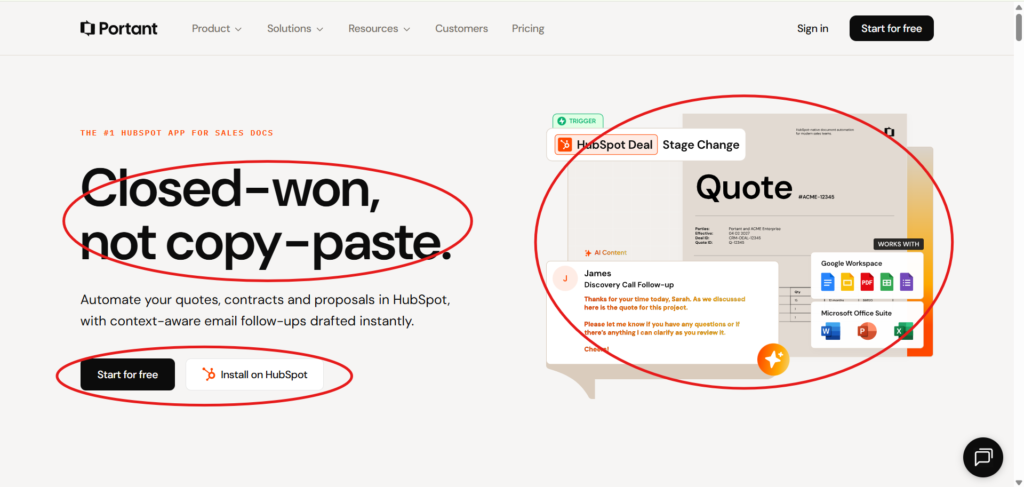
Positioning & Messaging
Portant’s positioning is one of its strongest competitive advantages.
Instead of trying to become another generic document automation platform, Portant narrows its focus to a specific ecosystem: HubSpot.
This immediately answers three critical questions every visitor has:
- What does this product do?
- Who is it for?
- Why should I care?
Clear Market Position
Throughout the website, Portant consistently presents itself as the document automation solution built specifically for HubSpot users.
This specialization differentiates the company from broader competitors while making the value proposition easier for the target audience to understand.
Consistency Across Pages
One of the most impressive aspects of Portant’s messaging is how consistently it appears throughout the website.
Whether visiting:
- Homepage
- Product pages
- Blog articles
- Documentation
- Demo booking
- Product dashboard
…the same core promise is reinforced:
Automate your sales documents inside HubSpot.
Rather than introducing new messaging on every page, each section expands on the same value proposition from a different perspective.
Educational Positioning
Portant also uses educational content strategically.
Instead of only promoting product features, blog articles address problems sales teams experience before introducing Portant as a solution.
Examples include:
- Document automation
- HubSpot quote limitations
- Contract automation
- Sales document workflows
This content-first approach positions Portant as a helpful expert rather than simply another software vendor.
Messaging Strengths
- Highly specific target audience.
- Clear problem-solution structure.
- Consistent language across the website.
- Strong educational support.
- Minimal marketing jargon.
Opportunity
While the messaging is consistently strong, some feature descriptions could communicate business outcomes more explicitly.
For example, instead of primarily describing functionality, more emphasis could be placed on measurable results such as reducing proposal creation time, accelerating approvals, or improving sales efficiency.
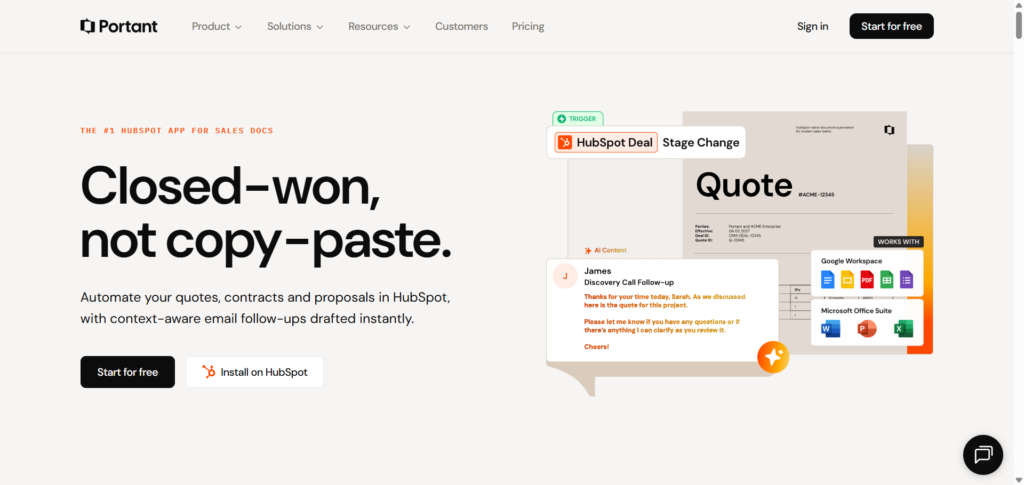
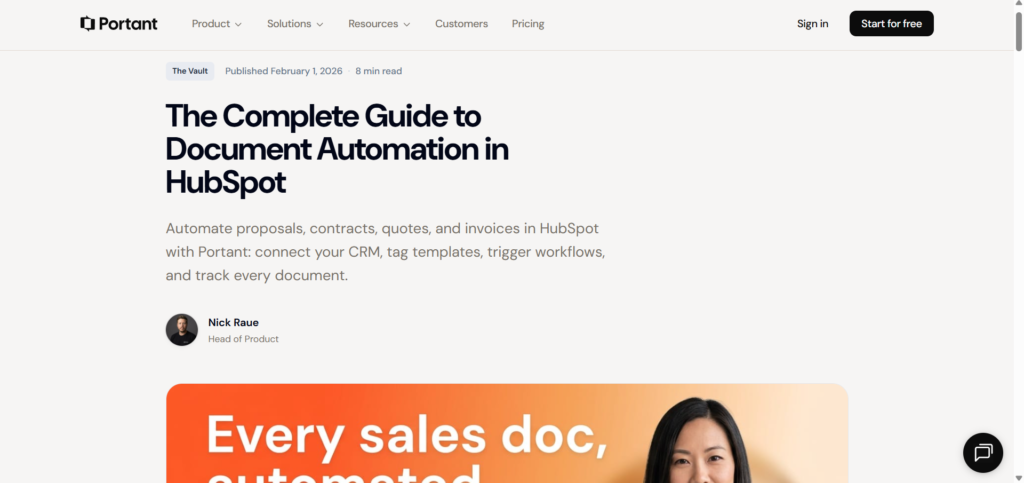
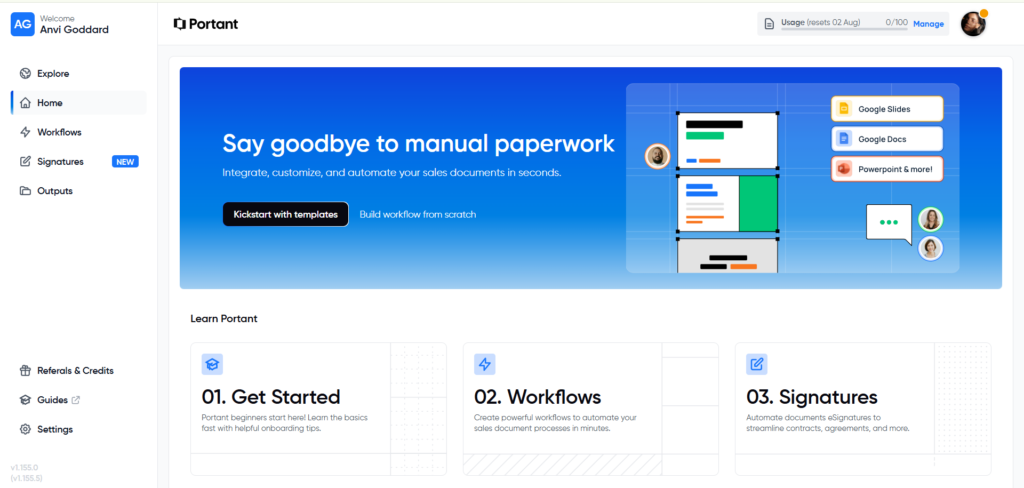
Although each page serves a different purpose, all reinforce the same core positioning: document automation for HubSpot users.
Visual Design & Branding
Portant’s visual identity prioritizes clarity over creativity. Instead of relying on complex animations or bold visual effects, the interface uses a clean, minimalist design system that keeps the product and messaging at the center of attention.
This approach is particularly effective for B2B SaaS, where buyers value trust, usability, and professionalism over visual novelty.
Consistent Design Language
One of Portant’s greatest strengths is consistency. Across the homepage, blog, documentation, product dashboard, and onboarding experience, the visual language remains almost identical.
This consistency is reflected in:
- Clean layouts with generous whitespace.
- Bold, readable typography.
- A restrained color palette.
- Consistent button styles and CTA placement.
- Reusable UI components and spacing.
The result is an experience that feels cohesive regardless of where users enter the website.
Product Visuals
Rather than relying on abstract illustrations, Portant frequently showcases real product interfaces, templates, and workflows.
This allows visitors to understand the product visually before signing up, reducing uncertainty and increasing confidence.
Branding
Portant maintains a professional, modern identity that aligns well with enterprise software expectations. The branding feels trustworthy without becoming overly corporate or intimidating.
Observation
The design avoids unnecessary distractions and keeps users focused on the next action.
Recommendation
While the visual system is strong, adding slightly more visual emphasis to customer success stories or measurable outcomes could create stronger emotional engagement without sacrificing clarity.
💡Conversion Principle
Consistency builds trust long before a visitor reads your copy. A cohesive visual system makes a product feel more reliable, easier to understand, and more credible.
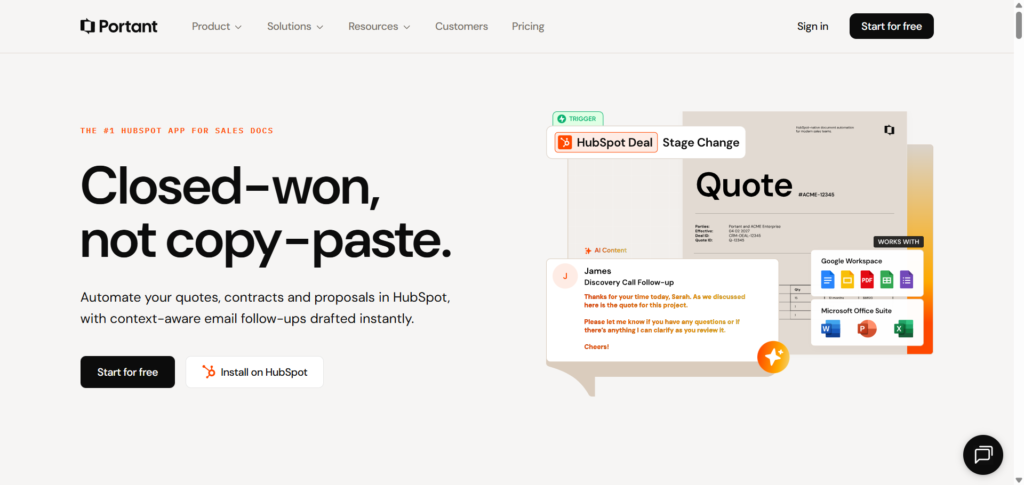
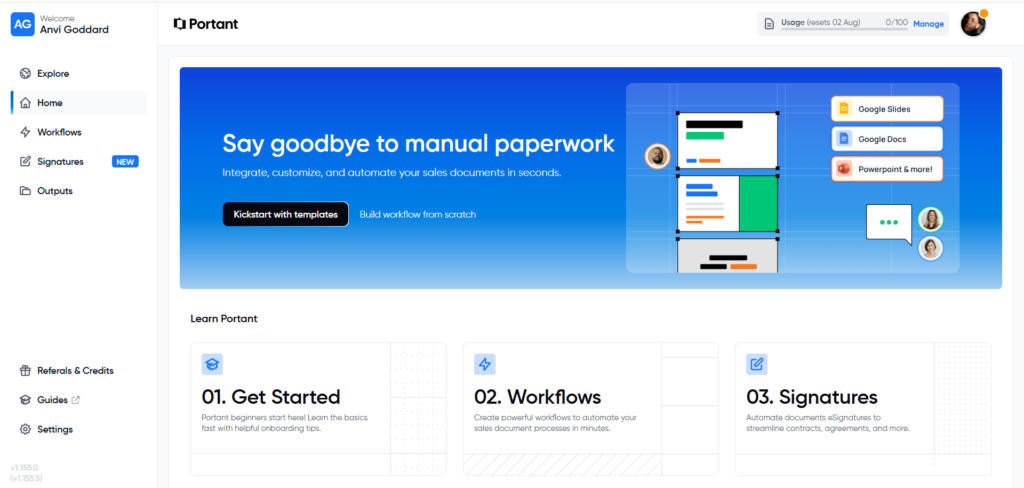
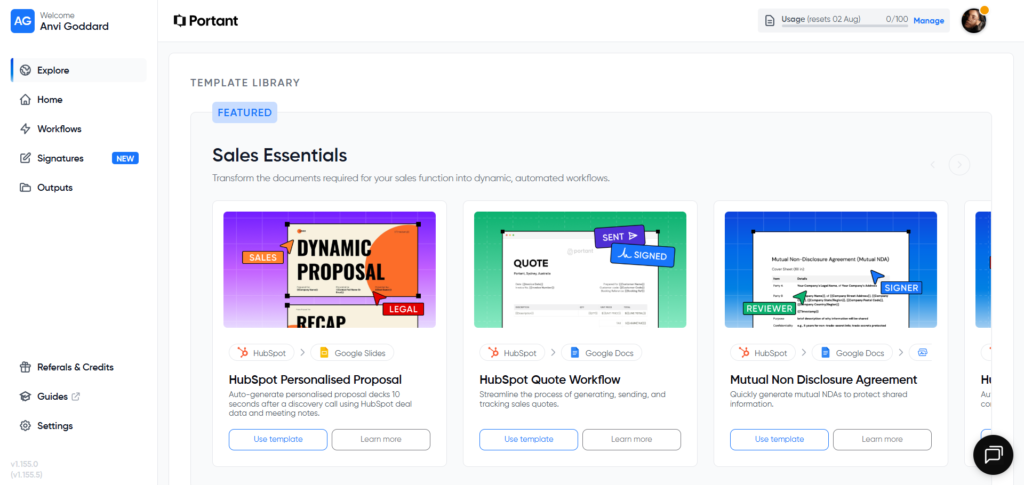
Portant maintains a consistent visual language across both its marketing website and product experience.
Navigation & Information Architecture
Portant organizes its website around the different stages of the customer journey, making it easy for visitors to find the information they need without feeling overwhelmed.
Instead of presenting every feature at once, the navigation gradually introduces users to the product.
Clear Navigation Structure
The primary navigation focuses on the areas visitors are most likely to explore:
- Product
- Solutions
- Resources
- Customers
- Pricing
This structure supports both first-time visitors researching the product and returning users looking for specific information.
Supporting Resources
Beyond the main website, Portant provides:
- A comprehensive documentation center.
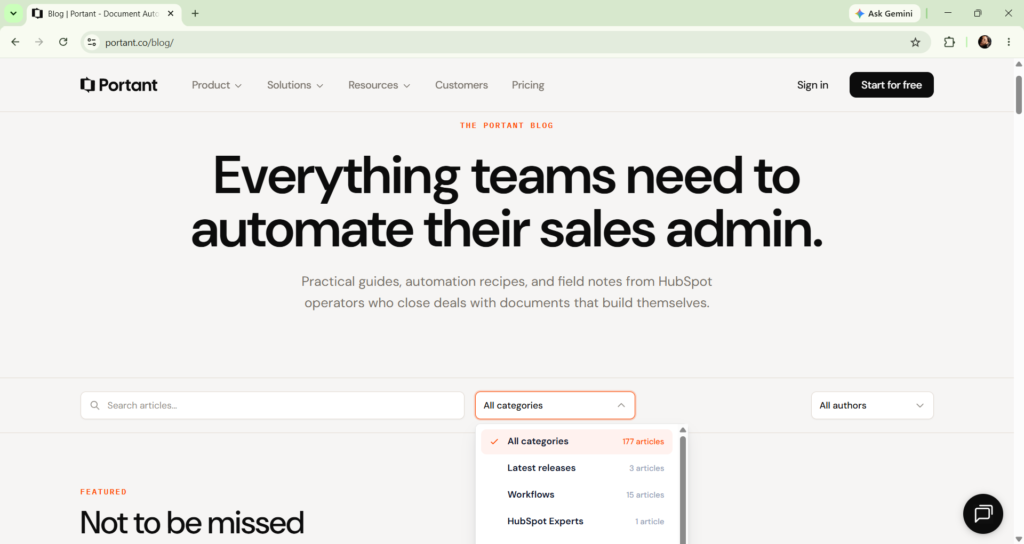
- Educational blog content.
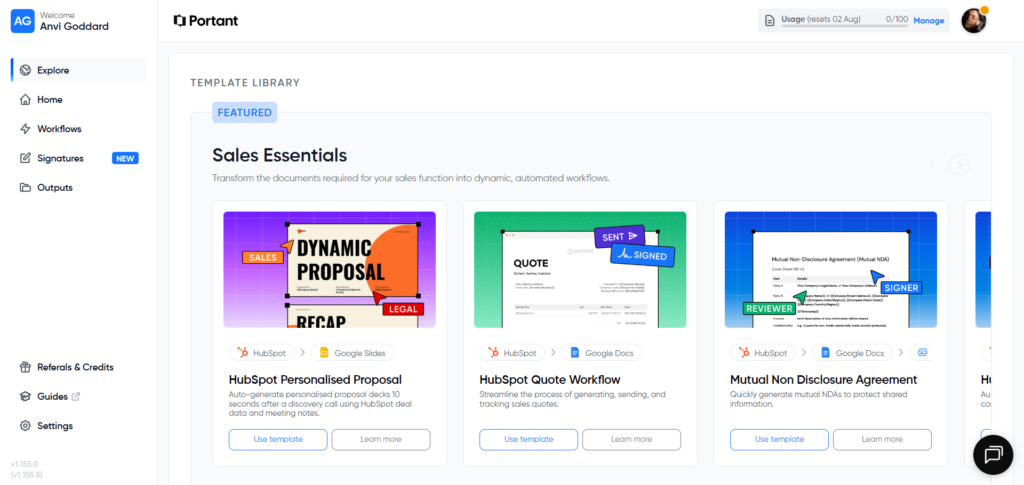
- Product templates.
- Demo booking.
- Free trial onboarding.
These resources create multiple entry points for different buyer intents.
Documentation Experience
The documentation is particularly well organized.
Features include:
- Search functionality.
- Category-based navigation.
- Sidebar organization.
- In-page navigation.
- Persistent conversion opportunities through demo CTAs.
This ensures existing customers receive support while also allowing prospective customers to explore the product in greater depth.
User Journey
The navigation naturally guides users through the buying process:
Learn → Evaluate → Try → Adopt
Rather than forcing visitors toward a conversion immediately, Portant provides educational content that helps build confidence before asking users to sign up.
Observation
The information architecture minimizes friction by presenting information progressively rather than all at once.
Recommendation
Adding a dedicated “Why Portant?” or “Compare Alternatives” page could help buyers evaluating multiple document automation platforms understand Portant’s unique advantages more quickly.
💡Conversion Principle
Navigation isn’t just about helping visitors find pages, it’s about helping them answer their next buying question. Great information architecture reduces uncertainty one step at a time.
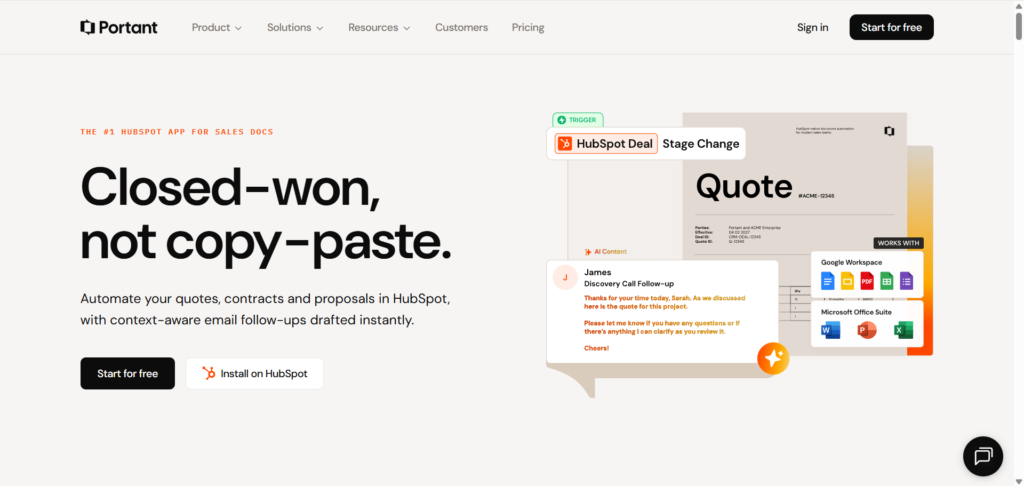
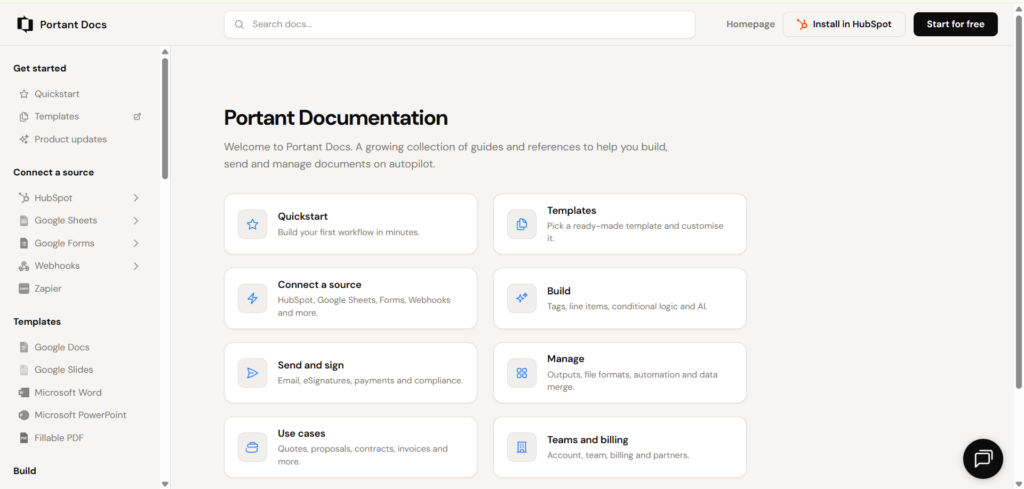
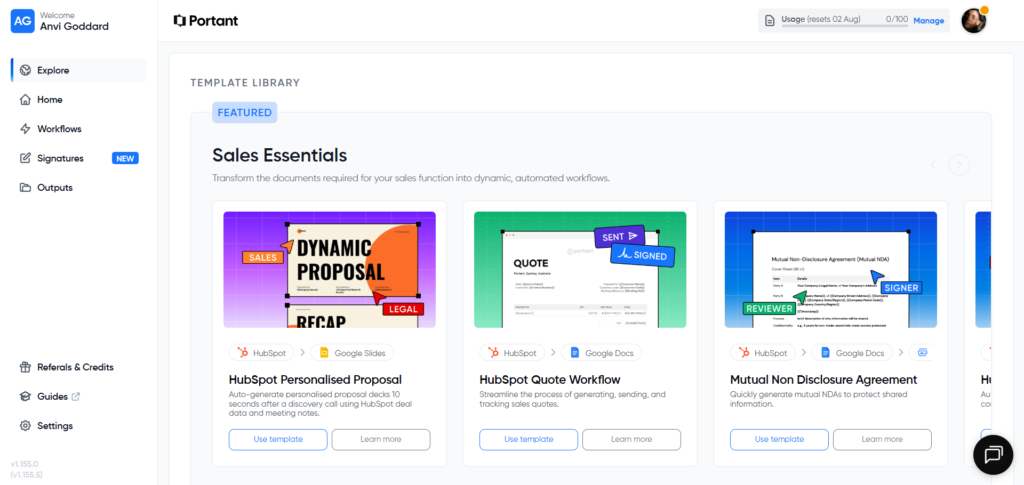
Portant organizes information according to user intent, allowing visitors to move naturally from learning to product adoption.
Conversion Journey
One of Portant’s strongest competitive advantages is the consistency of its conversion journey.
Rather than treating each page independently, every stage reinforces the same value proposition while guiding visitors toward a single next step.
Stage 1 – Discover
Visitors often enter through educational content covering topics such as document automation, HubSpot quotes, contracts, or proposals.
Instead of immediately selling the product, Portant first educates readers by addressing common operational challenges.
Stage 2 – Evaluate
As visitors explore product pages, documentation, or customer resources, they repeatedly encounter consistent messaging focused on:
- Eliminating manual paperwork.
- Automating document creation.
- Working directly inside HubSpot.
This repetition reinforces the product’s positioning without becoming repetitive.
Stage 3 – Convert
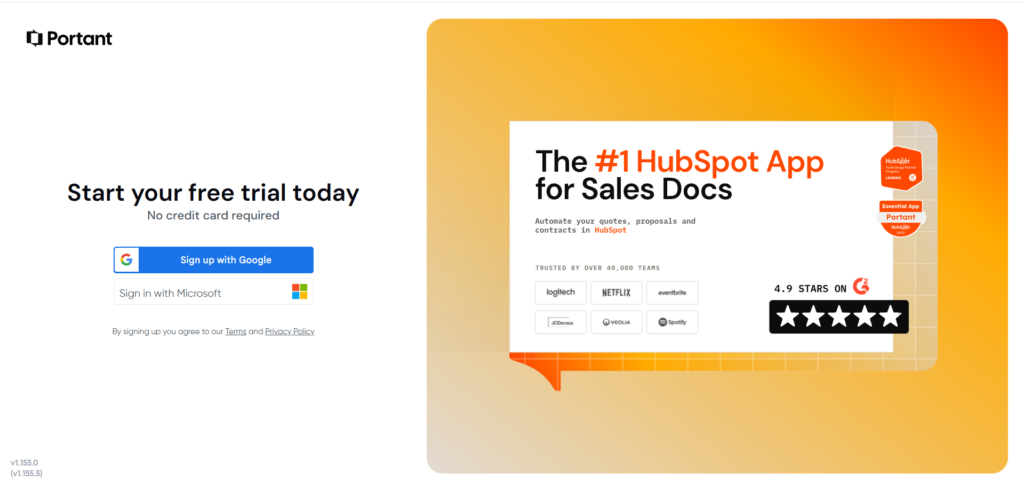
Across the website, the primary conversion actions remain consistent:
- Start Free
- Book a Demo
Rather than introducing multiple competing CTAs, Portant focuses visitors on these two actions based on their level of buying intent.
Stage 4 – Activation
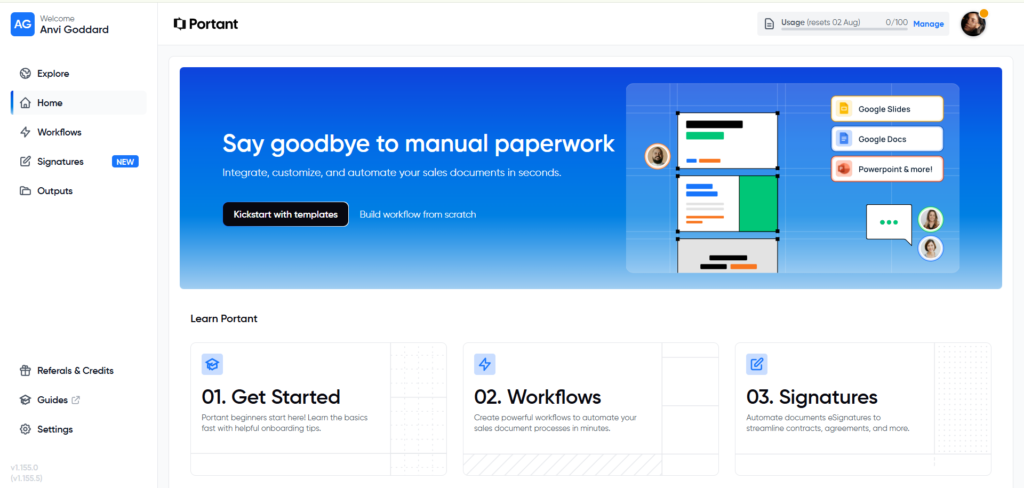
After signup, users are introduced to:
- Templates.
- Workflows.
- Signatures.
- Guided setup.
Instead of presenting a blank dashboard, Portant provides practical starting points that reduce the effort required to experience value quickly.
Stage 5 – Adoption
The platform continues supporting users through:
- Documentation.
- Product templates.
- Workflow creation.
- Educational resources.
This extends the customer journey beyond the initial signup and encourages continued product adoption.
What Portant Does Exceptionally Well
One pattern appears throughout the entire journey:
Every page encourages one primary decision.
Examples include:
- Homepage → Start Free Trial.
- Blog → Learn more or Try Portant.
- Documentation → Book a Demo.
- Dashboard → Create your first workflow.
- Templates → Use Template.
By reducing competing actions, Portant minimizes decision fatigue and keeps users moving forward.
Observation
The conversion journey feels intentional rather than disconnected. Each page builds upon the previous one, creating a seamless transition from visitor to active user.
Recommendation
While the onboarding experience is already strong, introducing a visible onboarding checklist or progress tracker after signup could further improve activation by helping new users complete their first successful workflow more quickly.
💡Conversion Principle
Every page should have one primary job and one primary next step. When visitors aren’t forced to choose between multiple actions, they’re more likely to continue through the buying journey.
Calls-to-Action (CTAs)
Portant takes a disciplined approach to conversion by keeping its calls-to-action simple, consistent, and aligned with different stages of the buying journey.
Rather than introducing a different CTA on every page, visitors repeatedly encounter two primary actions:
- Start Free Trial
- Book a Demo
This consistency reduces decision fatigue and helps reinforce the next logical step regardless of where visitors enter the website.
Matching CTAs to Buying Intent
One of Portant’s strengths is understanding that not every visitor is ready to sign up immediately.
Throughout the website, the CTAs adapt naturally to visitor intent:
- Homepage: Start Free Trial or Book a Demo
- Product Pages: Start Free Trial after explaining product capabilities.
- Pricing Page: Encourage trial while reducing purchase anxiety.
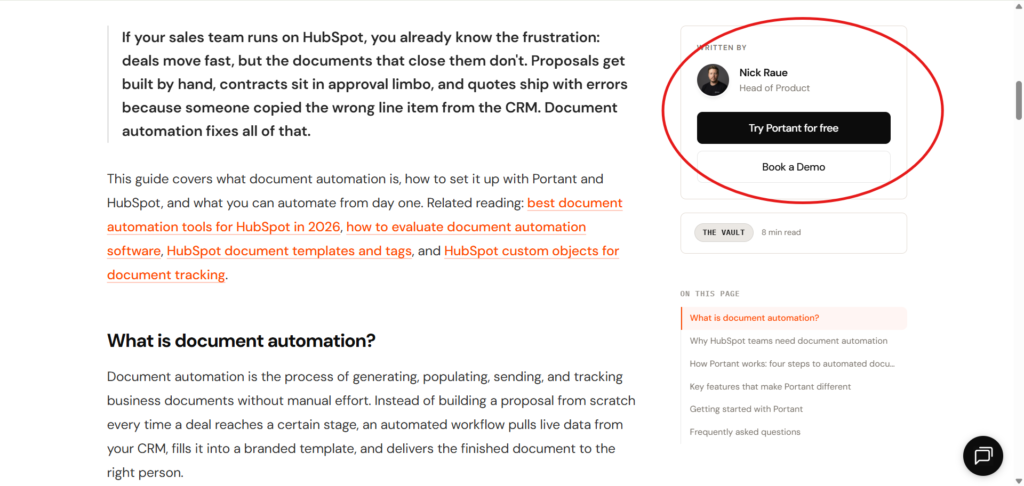
- Blog Articles: Educational content followed by a gentle product invitation.
- Documentation: Demo opportunities remain available for evaluators.
- Dashboard: Clear actions that encourage users to complete their first workflow.
Instead of forcing conversions too early, each CTA appears after enough context has been provided.
Consistency Creates Confidence
The repeated use of familiar button styles, colors, and language creates a predictable experience.
Visitors never have to wonder:
“What should I do next?”
Every page naturally guides them toward the next step.
Observation
Portant avoids cluttering pages with multiple competing conversion goals. Each page is designed around one primary action, making the decision process feel straightforward.
Recommendation
While the CTAs themselves are effective, the final website sections could create slightly more urgency by reinforcing the business outcome immediately before asking visitors to start a trial or book a demo.
For example, instead of ending with:
Start your free trial
they could reinforce value:
Start automating your sales documents in minutes no credit card required.
This small change reconnects the CTA with the benefit visitors have been reading about.
💡Conversion Principle
The best CTAs don’t persuade they feel like the natural next step. When enough trust and context have been established, clicking the button becomes the obvious decision.
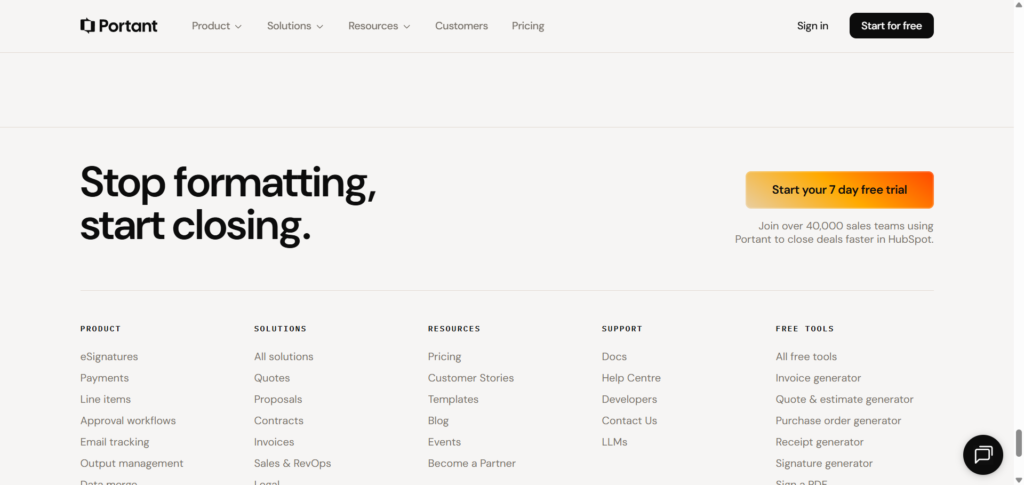
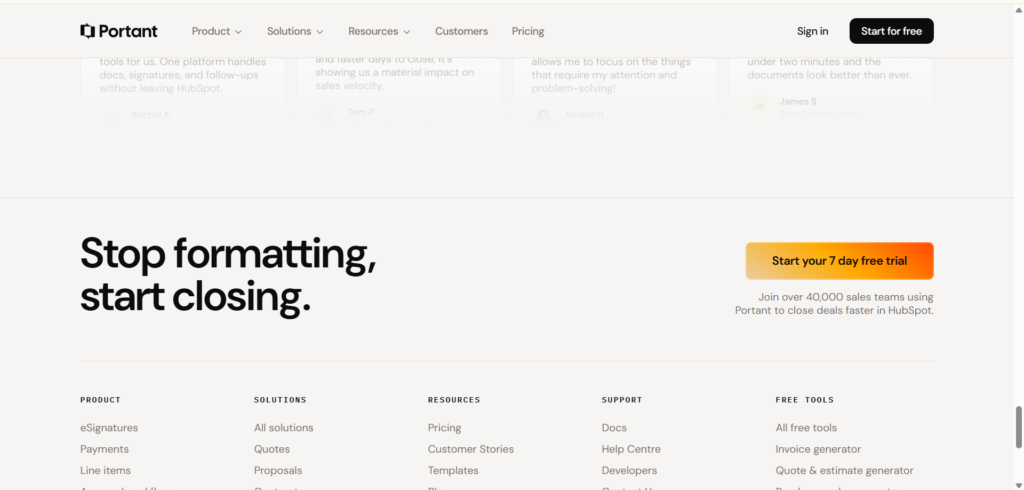
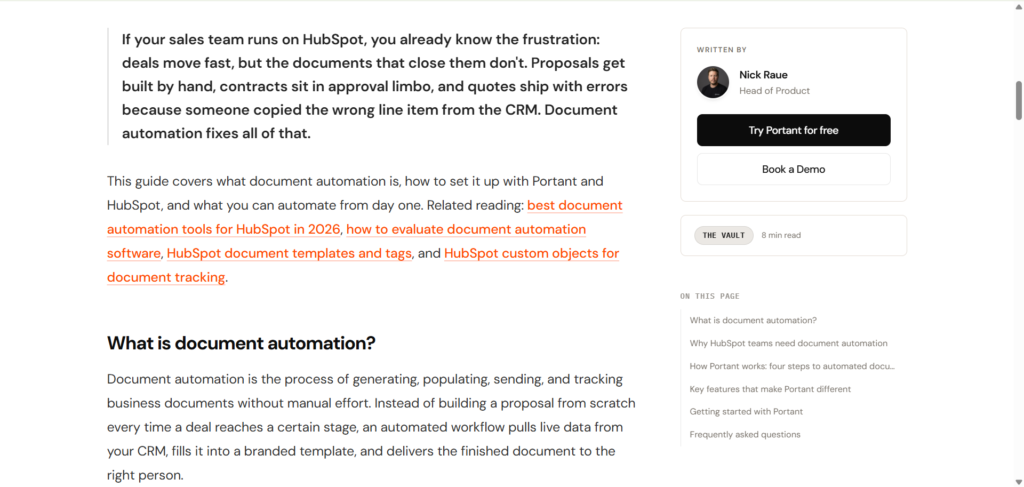
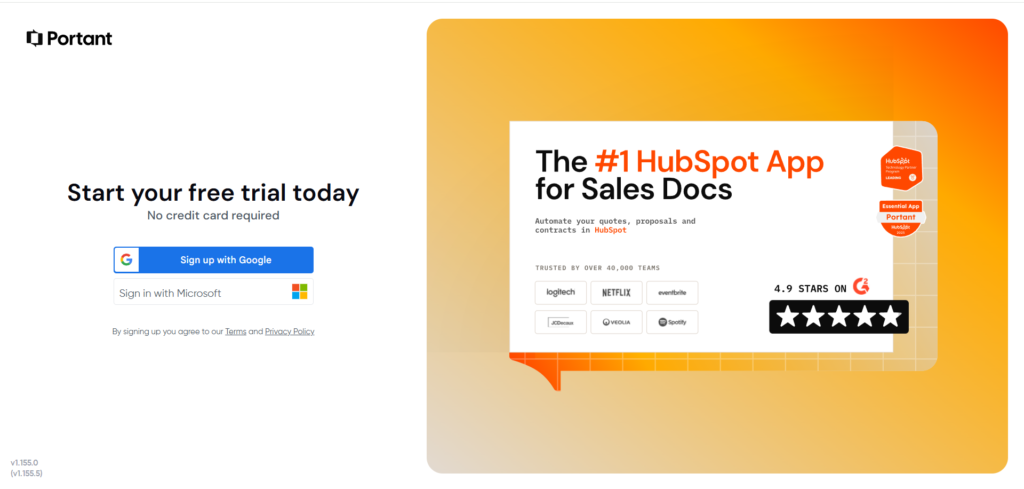
Portant keeps its conversion journey focused by consistently reinforcing two primary actions: Start Free Trial and Book a Demo.
Trust & Credibility
One of Portant’s greatest strengths is how frequently it reinforces credibility throughout the customer journey.
Rather than reserving trust signals for a single section, the website continuously reminds visitors why they can feel confident choosing the platform.
Trust Begins Early
Visitors encounter credibility almost immediately through:
- Customer logos.
- HubSpot ecosystem positioning.
- Product demonstrations.
- Free trial availability.
- Transparent pricing.
These elements reduce uncertainty before visitors even begin exploring features.
Customer Stories Build Believability
Instead of relying on generic testimonials, Portant showcases detailed customer stories that explain:
- The customer’s original workflow.
- The challenges they experienced.
- Why previous solutions didn’t work.
- How Portant improved the process.
This storytelling approach makes the proof feel authentic rather than promotional.
Educational Authority
The blog, documentation, and help center reinforce trust by demonstrating expertise rather than simply promoting the product.
Educational content answers real customer questions before introducing Portant as the solution, positioning the company as a helpful resource rather than just another software vendor.
Observation
Portant builds credibility through repeated evidence rather than bold claims.
Every major promise is supported by either:
- Customer proof.
- Product demonstrations.
- Educational content.
- Practical workflows.
Recommendation
The website already uses strong qualitative proof, but adding more quantified business outcomes such as time saved, reduced document errors, or faster proposal turnaround would make the customer stories even more persuasive.
💡Conversion Principle
Trust isn’t built in one section it compounds throughout the journey. Every testimonial, customer logo, case study, and product demonstration reduces buying uncertainty before visitors reach the final CTA.
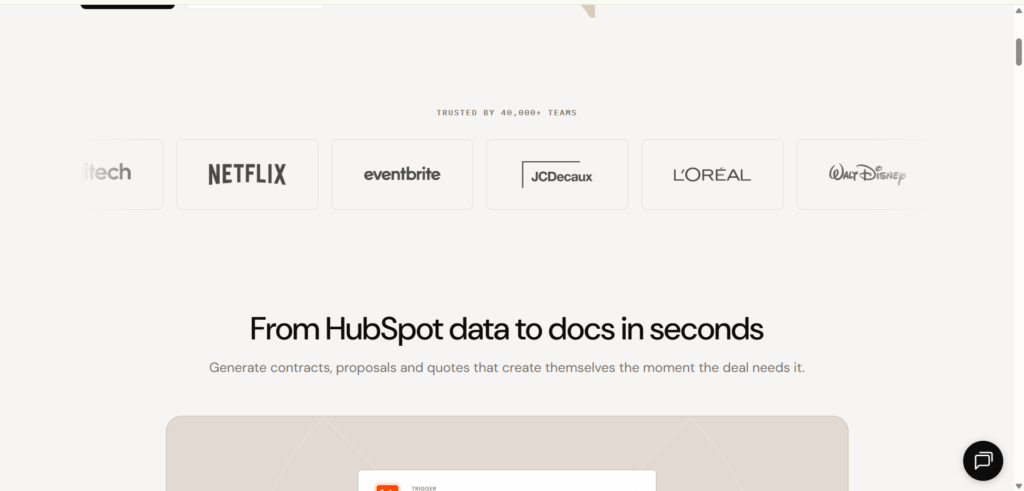
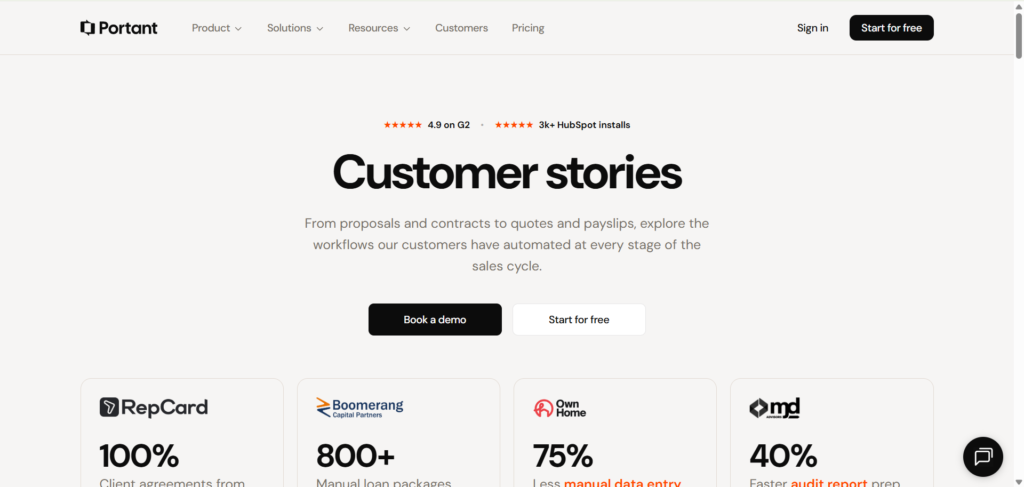
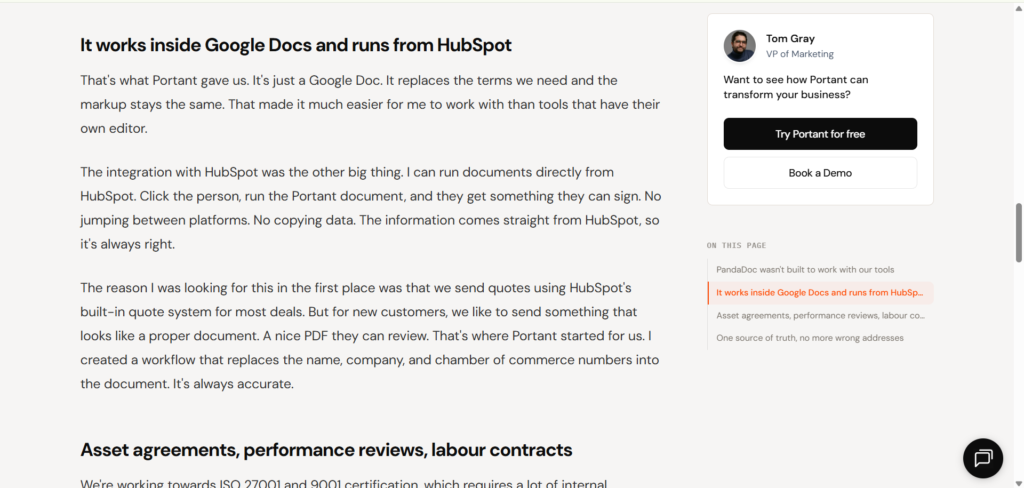
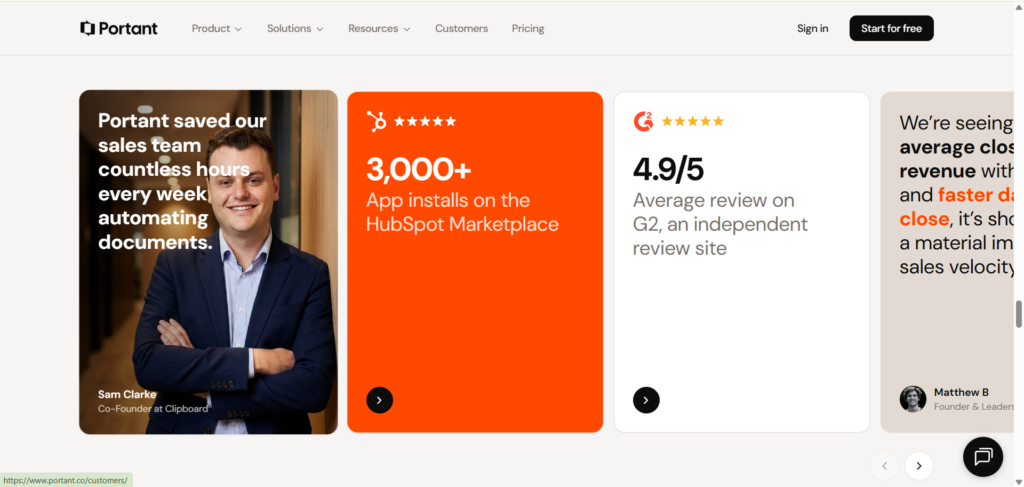
Rather than relying on marketing claims, Portant consistently reinforces trust through customer success stories, educational content, and real product demonstrations.
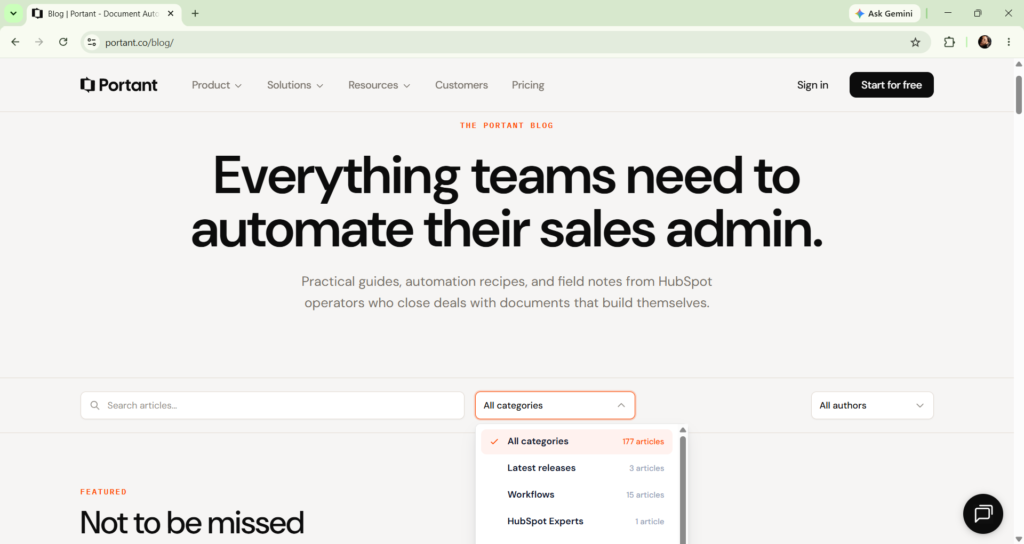
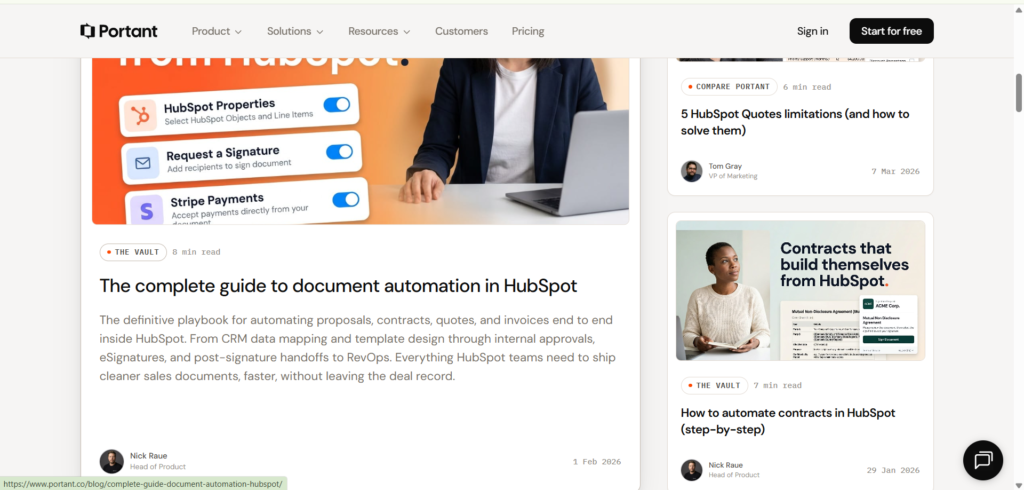
Content Strategy
Portant’s content strategy is closely aligned with the problems its target audience searches for.
Instead of publishing product-focused articles, the company creates educational resources that help visitors solve practical challenges related to document automation and HubSpot workflows.
Problem-First Content
Topics include:
- HubSpot document automation.
- Quote generation.
- Contract workflows.
- Proposal management.
- CRM limitations.
These are genuine operational problems that sales and RevOps teams actively research.
This approach allows Portant to attract potential customers before they begin evaluating software solutions.
Educational Before Promotional
Most articles follow a consistent structure:
- Introduce the problem.
- Explain why it exists.
- Explore current approaches.
- Introduce Portant naturally.
- Show how the product solves the issue.
- Invite readers to continue with a free trial or demo.
This creates a smooth transition from education to product discovery without feeling overly sales-driven.
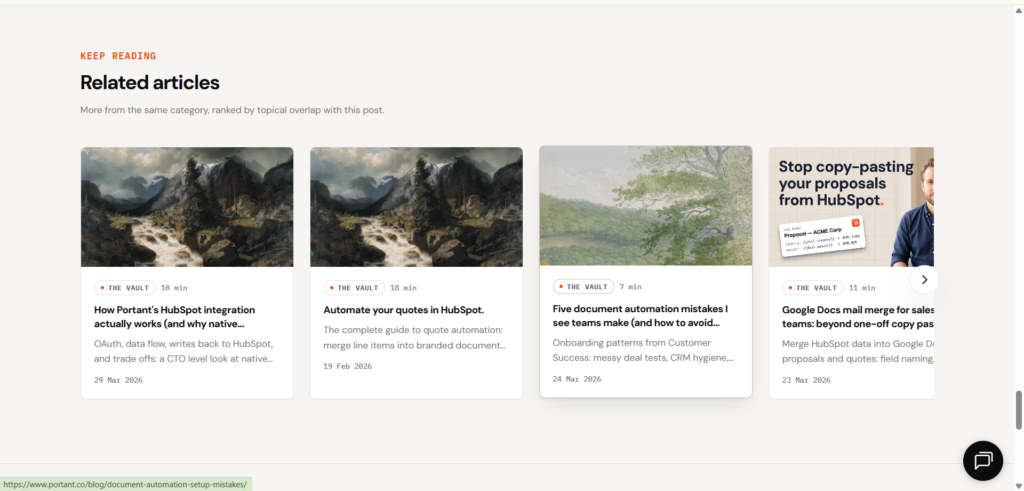
Internal Linking
The website encourages continued exploration through:
- Related product pages.
- Documentation.
- Additional blog posts.
- Product templates.
- Calls-to-action within articles.
These connections help visitors move naturally through the website while strengthening topical relevance for search engines.
Observation
Rather than treating content as a marketing channel separate from the product, Portant integrates education directly into its conversion strategy.
Each article helps readers understand a problem while quietly positioning the product as a practical solution.
Recommendation
The existing content strategy is strong, but expanding comparison articles such as:
- Portant vs DocuSign
- Best HubSpot Document Automation Tools
- Top Proposal Automation Software
could capture visitors who are actively evaluating alternatives and are closer to making a purchase.
💡Conversion Principle
The strongest content doesn’t start by selling the product, it starts by solving the reader’s problem. Education earns attention first, making product recommendations feel helpful rather than promotional.
Product Experience
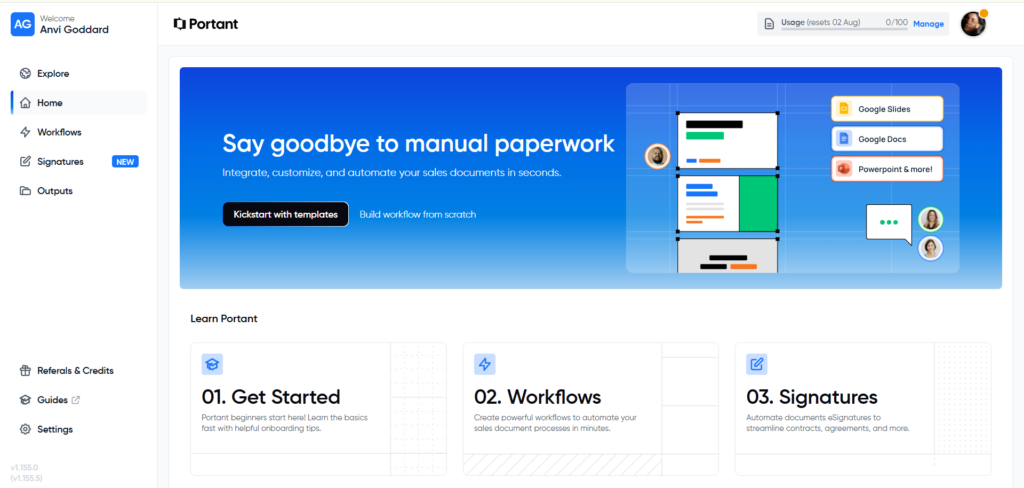
One of Portant’s biggest strengths extends beyond its marketing website. The product experience continues the same philosophy of simplicity, clarity, and guided progression that visitors encounter throughout the customer journey.
Rather than overwhelming new users with dozens of options immediately after signup, the platform introduces the product through practical starting points that help users achieve value quickly.
Simple First-Time Experience
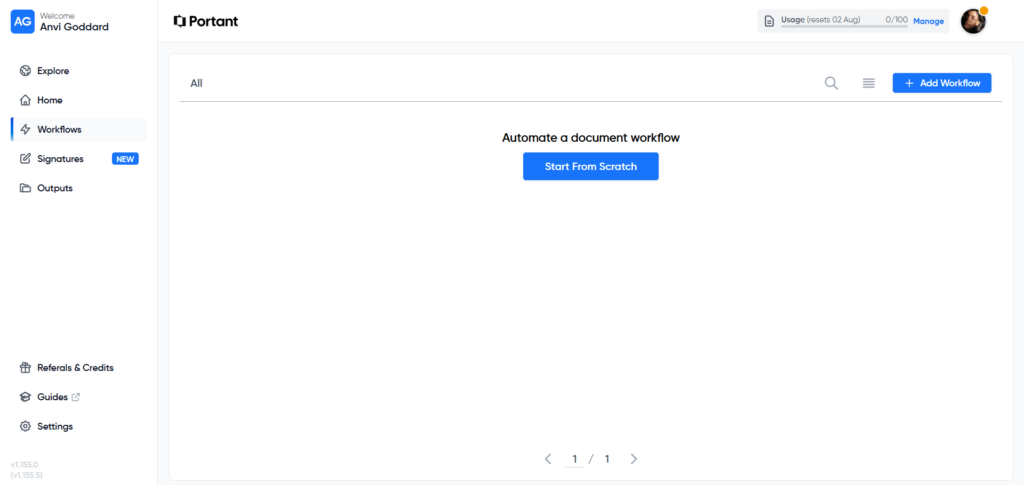
After creating an account, users aren’t greeted with a complex dashboard filled with analytics or configuration settings.
Instead, Portant immediately encourages users to begin with meaningful actions such as:
- Creating a workflow.
- Uploading a document.
- Exploring templates.
This significantly reduces cognitive load during the activation stage.
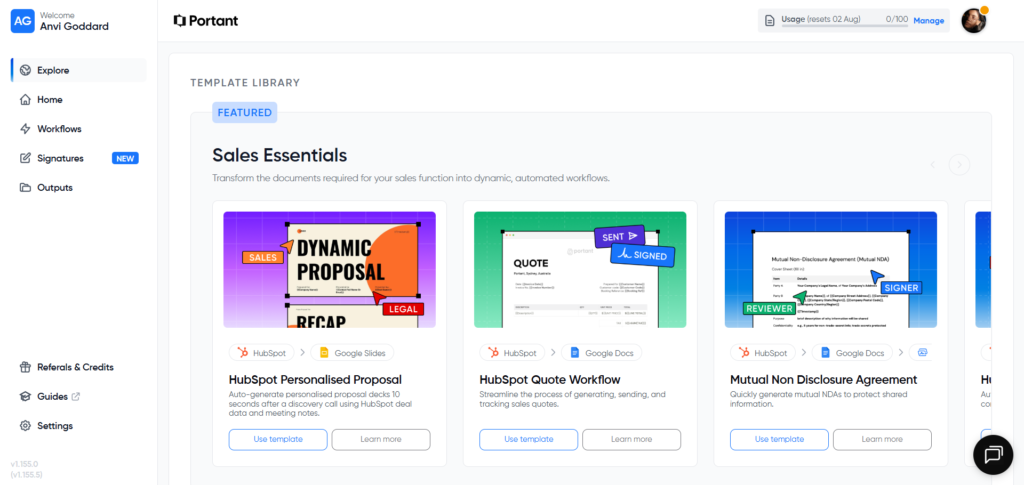
Templates Reduce Friction
Perhaps the strongest onboarding decision is the template gallery.
Instead of asking users to build document automation from scratch, Portant provides ready-made templates for common business scenarios.
This helps users reach their first successful outcome much faster while also demonstrating the product’s capabilities through real examples.
Product Consistency
The product interface mirrors the marketing website in several important ways:
- Clean layouts.
- Minimal visual distractions.
- Familiar terminology.
- Consistent button styles.
- Straightforward workflows.
This continuity reduces the learning curve because users don’t feel like they’re entering a completely different environment after signing up.
Observation
Portant focuses on helping users experience value quickly rather than exposing every available feature immediately.
Recommendation
While the onboarding experience is already well designed, introducing a visible onboarding checklist or progress tracker could further improve activation by giving new users a clearer sense of momentum as they complete their first workflow.
💡Conversion Principle
The fastest way to improve product adoption isn’t by adding more features, it’s by helping users experience success as quickly as possible.
Opportunities for Improvement
Portant delivers one of the more cohesive SaaS websites I’ve reviewed. Most of the improvements identified throughout this breakdown are refinements rather than fundamental weaknesses.
If I were prioritizing future optimization efforts, these are the opportunities I would address first.
1. Strengthen Feature-to-Outcome Messaging
Several product pages explain features clearly but occasionally place more emphasis on functionality than business outcomes.
Connecting each feature to measurable improvements such as reduced proposal time, faster approvals, or increased sales efficiency would make the value proposition even more compelling.
2. Make Pricing Plans More Role-Specific
Although the pricing tiers include short descriptions, they don’t clearly communicate which type of customer each plan is designed for.
Using role-based positioning such as:
- Solo Consultants
- Growing Sales Teams
- RevOps Teams
- Enterprise Organizations
would help visitors identify the right plan more confidently.
3. Simplify Feature Comparison Tables
The comparison tables contain valuable information but require visitors to scan a large number of rows before reaching a decision.
Introducing collapsible sections or quick category filters would make feature comparisons significantly easier.
4. Add More Quantified Customer Outcomes
Customer stories are authentic and well written, but adding more measurable business results would increase credibility even further.
Examples include:
- Time saved.
- Documents generated.
- Faster approval cycles.
- Reduced manual work.
5. Create More Comparison Content
Comparison pages targeting buyers evaluating alternatives could strengthen both SEO performance and conversion.
Examples include:
- Portant vs DocuSign.
- Portant vs PandaDoc.
- Best Document Automation Software for HubSpot.
These pages would attract visitors with higher purchase intent while making Portant’s differentiation more explicit.
Observation
None of these recommendations require changing Portant’s overall positioning. Instead, they focus on reducing decision friction at key points throughout the buying journey.
💡Conversion Principle
High-performing SaaS websites are rarely transformed through complete redesigns. More often, they’re improved by systematically removing small moments of friction throughout the customer journey.
What Other SaaS Companies Can Learn
After reviewing Portant’s website from discovery to product onboarding, several broader lessons emerge that extend beyond this specific company.
1. Consistency Builds Confidence
Visitors shouldn’t feel like they’re entering a different brand experience every time they navigate to a new page.
Consistent messaging, design, and navigation help create familiarity and trust.
2. Educate Before You Sell
Portant’s blog doesn’t immediately promote the product.
Instead, it teaches readers how to solve document-related challenges before introducing Portant as a practical solution.
This educational approach builds credibility before asking for a conversion.
3. Every Page Should Have One Primary Goal
Homepage.
Pricing.
Blog.
Product pages.
Documentation.
Each page focuses on guiding visitors toward a single logical next step.
This reduces decision fatigue and keeps users moving through the funnel.
4. Customer Stories Should Tell a Journey
Rather than simply praising the product, Portant’s case studies explain:
- The original process.
- The problems encountered.
- Alternative solutions considered.
- Why Portant was chosen.
- The resulting improvements.
This narrative structure makes the stories more believable and relatable.
5. Great SaaS Websites Continue Converting After Signup
The marketing website and product experience shouldn’t feel disconnected.
Portant continues reducing friction through templates, guided workflows, and a clean interface that helps users experience value quickly.
Final Reflection
Portant demonstrates that effective SaaS websites are built through hundreds of small, thoughtful decisions rather than one exceptional homepage.
Every stage of the customer journey from educational content to onboarding works together to reduce uncertainty and increase confidence.
💡Conversion Principle
Conversions don’t happen because of a single great page. They happen when every interaction consistently reinforces clarity, confidence, and momentum.
Final Verdict
Portant demonstrates what happens when a SaaS company builds every stage of the customer journey around a single, consistent promise.
Rather than relying on flashy design or aggressive sales tactics, the website earns trust through clarity, repetition, and practical proof. From educational content and product pages to pricing, customer stories, and onboarding, every touchpoint supports the same objective: helping HubSpot users automate document workflows with less manual effort.
What makes Portant particularly effective isn’t any single page, it’s the consistency across the entire experience. Visitors are never forced to reinterpret the product or wonder what action to take next. Every page reinforces the same positioning while gradually reducing uncertainty through product demonstrations, customer stories, educational resources, and focused calls-to-action.
Although there are opportunities to strengthen feature-to-outcome messaging, introduce more quantified customer results, and reduce decision friction within pricing comparisons, these are refinements rather than major weaknesses.
Overall, Portant delivers one of the strongest Website Conversion experiences I’ve reviewed and serves as an excellent example of how clarity, consistency, and buyer confidence can work together to support long-term growth.
Overall Website Score
| Category | Score |
| Positioning & Messaging | 9.6/10 |
| Visual Design | 9.4/10 |
| Navigation | 9.5/10 |
| Conversion Journey | 9.7/10 |
| Calls-to-Action | 9.5/10 |
| Trust & Credibility | 9.8/10 |
| Content Strategy | 9.7/10 |
| Product Experience | 9.4/10 |
Overall Rating: 9.6/10
💡Conversion Principle
The strongest SaaS websites don’t rely on one exceptional page, they create a seamless journey where every interaction reinforces trust, clarity, and the next logical step.
Request Your Own Website Conversion Breakdown
Every SaaS website tells a story.
The question is whether it’s the story your buyers understand.
Throughout this breakdown, we’ve looked at how Portant communicates its value, builds trust, guides visitors through the buying journey, and reduces conversion friction across multiple pages not just the homepage.
If you’re wondering whether your own website creates similar confidence or whether hidden messaging gaps are quietly reducing demos and signups, I’d be happy to take a closer look.
Every Website Conversion Breakdown includes:
✅ Positioning & Messaging Analysis
✅ Buyer Journey Review
✅ Homepage & Key Page Evaluation
✅ Navigation & Information Architecture
✅ Trust & Conversion Friction Analysis
✅ Practical Recommendations Prioritized by Impact